The processor (CPU)
Open any shop's website and look at a laptop. The first line of the spec sheet is almost always the processor: "8 cores, 16 threads, up to 4.4 GHz, 32 MB cache". What do those numbers actually mean? And which of them should you care about?
You already know what the CPU does: it runs the fetch → decode → execute loop from the Computer architecture page, billions of times per second. This page opens the lid and reads that spec sheet line by line — so next time someone tries to sell you "more GHz", you know what you are paying for.
What you will learn
- What a core and a thread are, and why "8 cores" does not mean "8 times faster"
- What the clock speed (GHz) measures, and why it is not the whole story
- How the cache (L1, L2, L3) fights the Von Neumann bottleneck
- Why an app for your phone does not run on your PC: x86-64 vs ARM
- What the socket, the TDP and the cooler are for
- How to read your own CPU's spec sheet with
lscpu
From a room to a fingernail
A microprocessor is a whole CPU — Control Unit, ALU and registers — built on a single chip of silicon.
ENIAC filled a room. In 1971 Intel released the 4004, the first commercial microprocessor: the entire CPU on one chip, with about 2,300 transistors, running at 740 kHz. It was designed for a Japanese calculator (the Busicom 141-PF).
A transistor is a tiny electronic switch: on or off, 1 or 0 — the physical home of a bit. Today's processors pack billions of them on a chip the size of a fingernail.
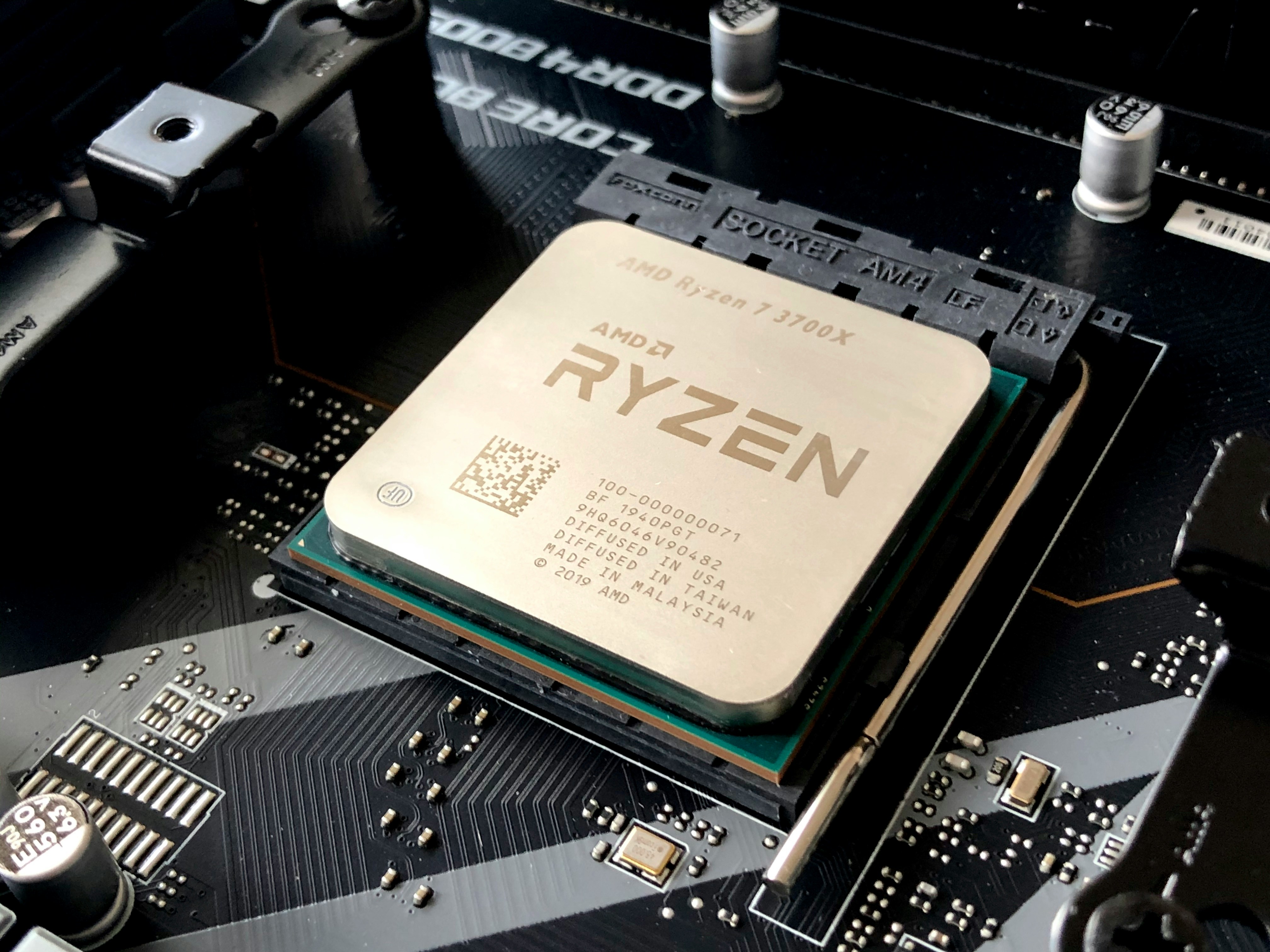
That photo is an AMD Ryzen 7 3700X (2019). We will use its spec sheet as our running example:
| Spec | Value |
|---|---|
| Cores / threads | 8 / 16 |
| Clock speed | 3.6 GHz base, up to 4.4 GHz boost |
| Cache | 32 MB L3 (plus L1 and L2 per core) |
| Instruction set | x86-64 |
| Socket | AM4 |
| TDP | 65 W |
Let's decode every line.
Cores: more chefs in the kitchen
A core is a complete, independent processing unit — its own Control Unit, ALU and registers — inside the CPU chip.
Remember the kitchen: the CPU is the chef. Until the mid-2000s, a home computer's processor had exactly one chef. Making that chef faster got harder and hotter every year, so manufacturers did something else: they put several chefs in the same kitchen. Each core runs its own fetch → decode → execute loop, at the same time as the others.
flowchart TB
    subgraph CHIP ["CPU chip (the kitchen)"]
        direction LR
        C1["<b>Core 1</b><br>chef 1:<br>CU + ALU + registers"]
        C2["<b>Core 2</b><br>chef 2:<br>CU + ALU + registers"]
        C3["<b>Core 3</b><br>chef 3"]
        C4["<b>Core 4</b><br>chef 4"]
    end
    CHIP <-->|"all chefs share<br>the same corridor"| RAM["<b>RAM</b><br>the countertop"]
The Ryzen above has 8 cores: eight chefs.
Careful: 8 cores is not 8 times faster
Eight chefs only help if there are eight things to cook. A game, a browser with 20 tabs and a video export split their work nicely. But a task that is one long chain of steps — each step needs the result of the previous one — can only be cooked by one chef at a time. The other seven wait. That is why a CPU with fewer, faster cores sometimes wins.
Threads: one chef, two dishes
A thread is one sequence of instructions the CPU is running. A core that supports SMT (Simultaneous Multithreading) can keep two threads going at once.
A chef waiting for water to boil does not stand still — they start chopping for a second dish. In the same way, a core often waits for data to arrive from memory. With SMT, the core keeps a second thread ready and works on it during those gaps. Intel calls its version Hyper-Threading and introduced it in 2002.
So 8 cores / 16 threads means 8 real chefs, each juggling 2 dishes. Careful: a thread is not a second chef. Two threads share one core's ALU and hands; the gain is usually well below 2×.
Clock speed: the beat of the kitchen
The clock is an electronic signal that ticks at a fixed rate. Each tick lets the CPU advance one step. Its speed is measured in hertz (Hz): ticks per second.
| Unit | Ticks per second |
|---|---|
| 1 kHz | 1,000 |
| 1 MHz | 1,000,000 |
| 1 GHz | 1,000,000,000 |
A 3.6 GHz CPU ticks 3.6 billion times per second. The Intel 4004 did 740,000. Same idea, about 5,000 times faster — per core.
Modern CPUs do not tick at one fixed speed. They have a base clock (the speed they can hold forever) and a boost clock (a sprint they can hold while they stay cool enough). The Ryzen: 3.6 GHz base, 4.4 GHz boost. When you do nothing, the clock drops even lower to save energy.
GHz is not the whole story
The page on architecture said "3 GHz ≈ 3 billion fetch–decode–execute loops per second". That is the right intuition, but today it is a simplification. A modern core works like an assembly line: while one instruction executes, the next is being decoded and the one after is being fetched — so it can finish several instructions per tick. Two CPUs at the same GHz can therefore be very different in speed. Compare CPUs with benchmarks, not with GHz alone.
Cache: the tray at the chef's elbow
The architecture page left a promise open: the CPU is much faster than RAM, so it spends its life waiting at the bus — the Von Neumann bottleneck. Here is how it is fought.
Cache is a small, very fast memory built inside the CPU chip. It keeps copies of the data and instructions the CPU used recently, so most of the time it does not have to go to RAM at all.
The trick works because programs are predictable: what you used a moment ago, you will probably use again soon, and what sits next to it too. So the CPU keeps a copy close by.
Keep the kitchen: the registers are what the chef holds in their hands; the RAM is the big countertop across the room. The cache is in between — trays and shelves right next to the chef:
flowchart LR
    REG["<b>Registers</b><br>in the chef's hands<br><i>~1 tick</i>"] <--> L1["<b>L1 cache</b><br>tray at the elbow<br>tens of KB per core<br><i>~4–5 ticks</i>"]
    L1 <--> L2["<b>L2 cache</b><br>shelf behind the chef<br>~0.5–2 MB per core<br><i>~12 ticks</i>"]
    L2 <--> L3["<b>L3 cache</b><br>shared shelf for all chefs<br>several to tens of MB<br><i>~40 ticks</i>"]
L3 <-->|"the corridor<br>(the bus)"| RAM["<b>RAM</b><br>the countertop<br>GBs<br><i>hundreds of ticks</i>"]- L1 — the smallest and fastest, one per core. It is split in two: L1i for instructions and L1d for data (the "Harvard inside" from the architecture page).
- L2 — bigger, a bit slower, usually one per core.
- L3 — the biggest, shared by all the cores. The Ryzen's "32 MB cache" is this one.
When the CPU finds what it needs in the cache, that is a cache hit — fast. When it does not, it is a cache miss, and the core waits for RAM. A bigger cache means fewer misses. The numbers above are typical, not exact: they change with every CPU model.
Why not make the whole RAM out of cache?
Cache is made of SRAM, which needs about six transistors per bit. RAM is made of DRAM, which needs one transistor and one tiny capacitor per bit. So cache is much bigger per bit, more expensive and more power-hungry. You get a few MB of it, not 16 GB. More on this on the Memory page.
Instruction set: the language the chef reads
The instruction set architecture (ISA) is the list of instructions a CPU understands, and how each one is written in bits.
LOAD, ADD, STORE... the instructions in our example program are not universal. Each CPU family has its own "language". A program is compiled into one ISA, and a CPU only runs programs written in its own.
Two families rule the world today:
| x86-64 | ARM | |
|---|---|---|
| Origin | Intel's x86 (1978); extended to 64 bits by AMD (spec in 2000, first chip in 2003) | Acorn Computers, Cambridge, UK — first chip in 1985 |
| Philosophy | Many complex instructions | Fewer, simpler instructions (RISC) |
| Strong point | Raw performance, huge software base | Performance per watt: less heat, longer battery |
| Where you find it | Most desktops, laptops and servers (Intel, AMD) | Almost every phone and tablet, Apple M-series Macs, Raspberry Pi, more and more servers |
This is why an Android app built for ARM does not simply run on a Windows x86-64 PC, and why Apple had to add a translator (Rosetta 2) when it moved its Macs to ARM in 2020. Same chef, different language.
What does 64-bit mean?
Roughly: the CPU's registers and addresses are 64 bits wide. From the Binary page, 32 bits can count up to 2³² ≈ 4.3 billion — that is why old 32-bit systems could not use more than about 4 GB of RAM: they ran out of addresses. 2⁶⁴ is so huge that we will not run out any time soon.
Socket, heat and cooling
The socket
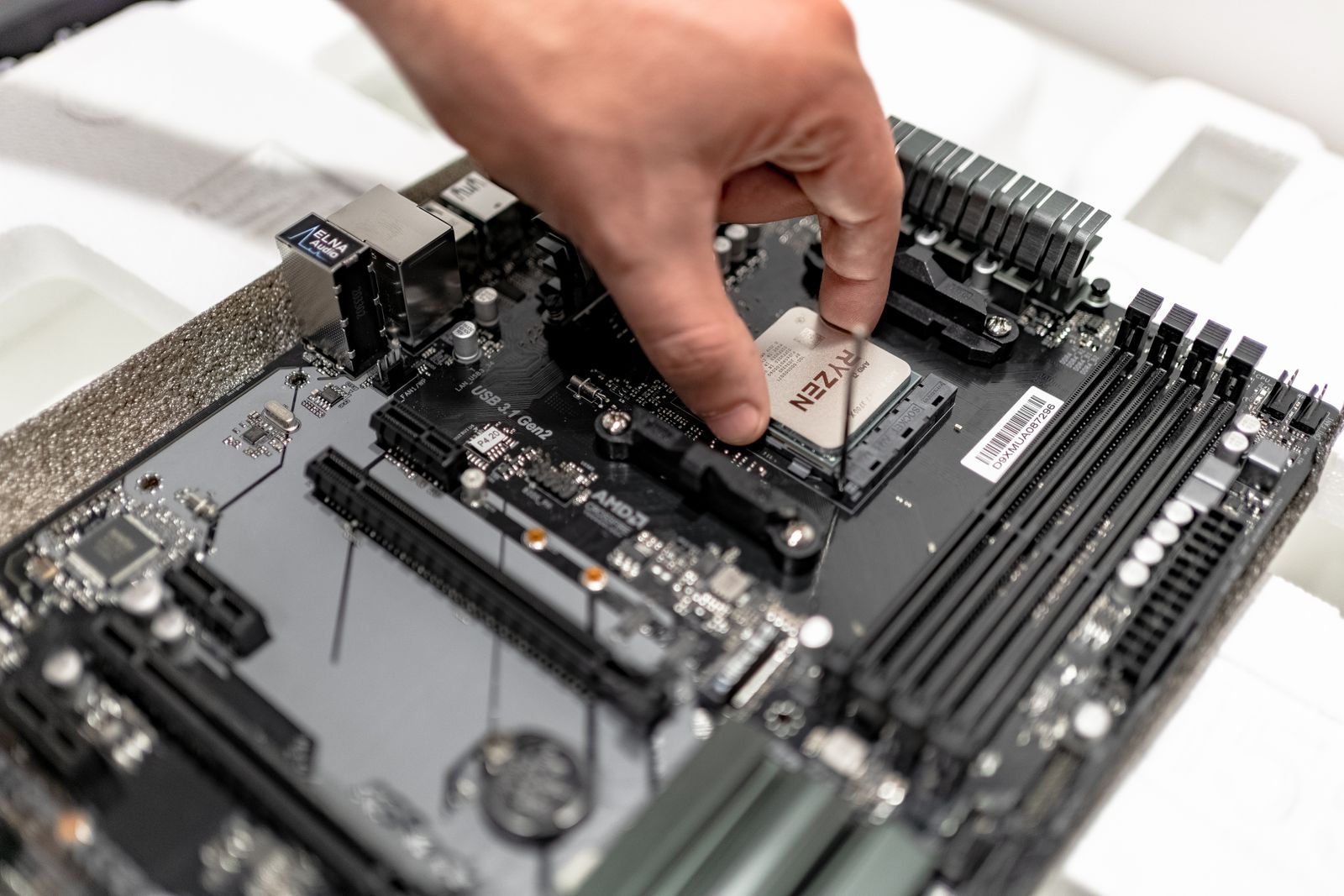
The socket is the connector on the motherboard where the CPU is installed.
Each socket fits only its own CPU family: the Ryzen in the photo needs an AM4 socket (look at the label printed on the board around it). A CPU and a motherboard must match — the first check when you build or upgrade a PC. Many laptop and phone CPUs have no socket at all: they are soldered to the board and cannot be replaced.
Heat and TDP
Every tick, billions of transistors switch — and each switch turns a little electricity into heat. A busy kitchen gets hot.
The TDP (Thermal Design Power) is the amount of heat, in watts, that the cooling system must be able to remove when the CPU works under a heavy, sustained load.
The Ryzen's TDP is 65 W. Careful: TDP is a guide for choosing the cooler, not an exact measurement of how much electricity the chip uses — each manufacturer defines it in its own way.
The cooler
If the heat is not removed, the CPU protects itself: it lowers its clock (this is called thermal throttling) and, in the worst case, the computer shuts down. The cooler is the kitchen's extractor hood:
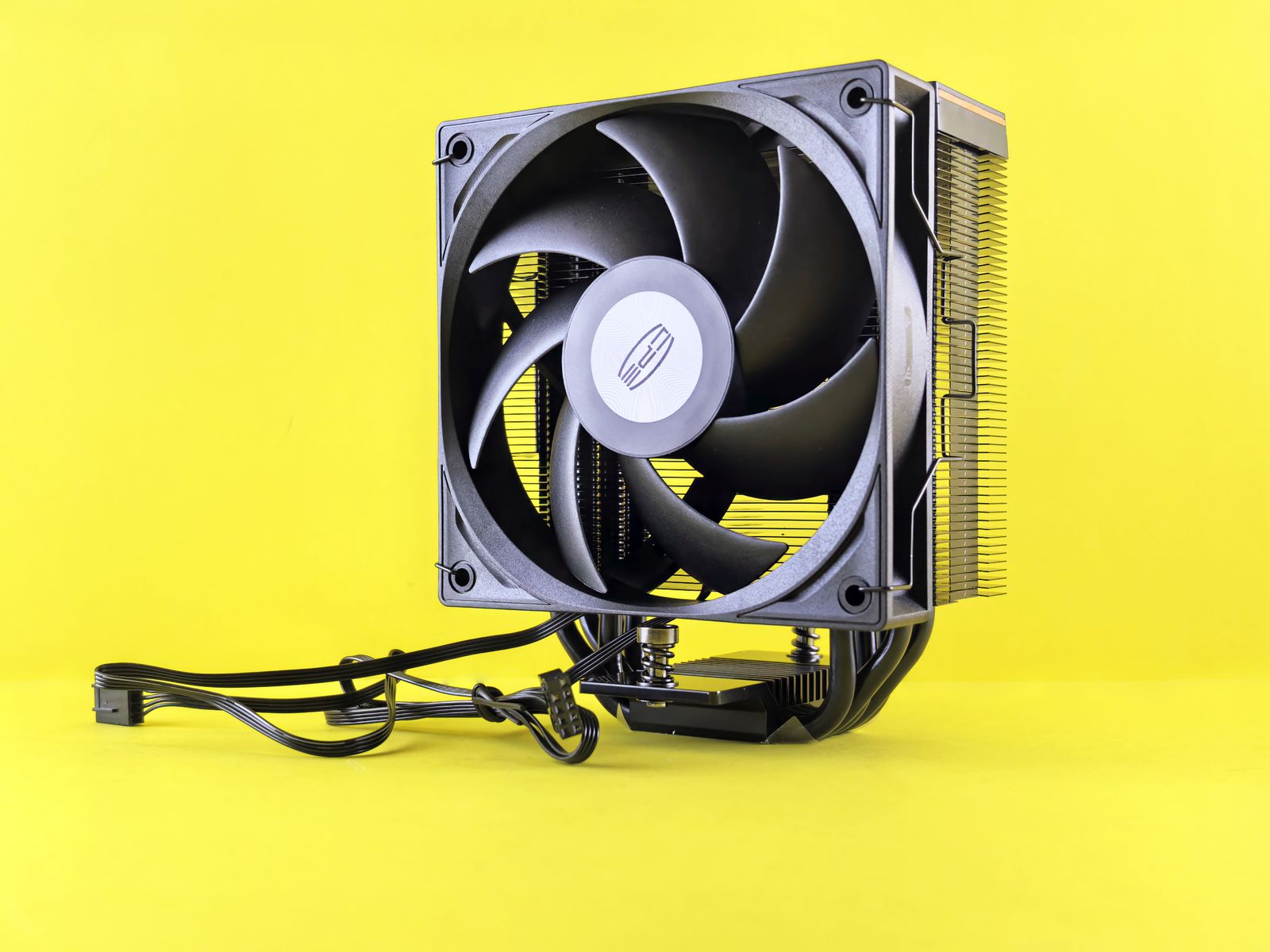
| Part | What it does |
|---|---|
| Thermal paste | Fills the microscopic gaps between the CPU lid and the cooler, so heat can flow |
| Heatsink | A block of metal fins (aluminium, copper) that spreads the heat over a large surface |
| Fan | Blows air through the fins to carry the heat away |
| Liquid cooling (optional) | Pumps liquid from the CPU to a radiator; quieter or stronger, more expensive |
When your laptop's fan roars during a game, you are hearing the TDP at work.
Read your own spec sheet
On Linux, lscpu prints your CPU's spec sheet. Try it in class:
| Line | What it tells you |
|---|---|
Architecture |
The ISA: x86_64 or aarch64 (64-bit ARM) |
Model name |
The chef's name |
CPU(s) |
Total threads the OS can use |
Thread(s) per core |
2 = SMT is on, 1 = no SMT |
Core(s) per socket |
Real cores |
CPU max MHz |
The boost clock |
And the cache levels, with their sizes:
On Windows, open the Task Manager (Ctrl+Shift+Esc) → Performance → CPU: cores, logical processors (threads), speed and cache are all there.
Key takeaways
- A microprocessor is a whole CPU on one chip; the first one was the Intel 4004 (1971, ~2,300 transistors). Today: billions.
- A core is a complete chef; threads (SMT) let one core juggle two dishes. More cores only help when the work can be split.
- The clock (GHz) is the CPU's beat, with a base and a boost speed — but a modern core can finish several instructions per tick, so GHz alone does not decide speed.
- Cache (L1, L2, L3) keeps recent data next to the cores and fights the Von Neumann bottleneck: small, fast and expensive.
- The ISA is the CPU's language: x86-64 (most PCs) and ARM (phones, Apple M) cannot run each other's programs directly.
- The CPU sits in a socket that must match it, and its heat (TDP) must be removed by a cooler, or it throttles.
Quick check
1. A laptop is sold as having 6 cores and 12 threads. What does that mean?
- Six physical cores, each able to run two threads at once
- Twelve physical cores, six of them switched off to save energy
- Six cores that run twelve times faster than a single core
- Six cores and six extra cores reserved for the operating system
Each core is a complete processing unit; with SMT (Hyper-Threading) every core keeps two threads going, using the gaps while it waits for memory. 6 × 2 = 12 threads — but not 12 chefs.
2. What does a clock speed of 3 GHz measure?
- The clock ticks 3 billion times per second
- The CPU can store 3 GB of data
- The CPU transfers 3 GB per second to RAM
- The CPU can run 3 programs at the same time
Hertz = ticks per second, and giga = 10⁹. Each tick lets the CPU advance one step of its work. It measures speed of the beat, not capacity.
3. Why do CPUs have cache memory?
- To keep recent data close to the cores and avoid waiting for RAM
- To keep files when the computer is switched off
- To store the operating system permanently
- To replace RAM in computers that do not have any
RAM is far slower than the CPU: the Von Neumann bottleneck. Cache keeps copies of what was used recently right next to the cores, so most requests are cache hits and never travel to RAM. Like RAM, cache is volatile.
4. Which cache level is usually shared by all the cores?
- L3
- L1
- L2
- The registers
L1 (split into instructions and data) and usually L2 belong to each core. L3 is the big shared shelf that all the chefs reach — the "32 MB cache" on a spec sheet is normally the L3.
5. Why can't you install an x86-64 Windows program on an ARM phone and run it directly?
- Each CPU family understands a different instruction set
- Phones do not have enough RAM for any Windows program
- ARM processors do not have a clock
- Windows programs are protected so they only run on Intel
A program is compiled into the ISA of one CPU family. An ARM chef cannot read an x86-64 recipe without a translator — which is exactly what Apple's Rosetta 2 does on M-series Macs.
6. Your friend's laptop gets very hot during a game and suddenly runs slower. What is most likely happening?
- The CPU lowers its clock to protect itself from the heat
- The CPU switches from x86-64 to ARM to save energy
- The cache fills up and the CPU deletes the game
- The socket disconnects the CPU until it cools down
This is thermal throttling: if the cooler cannot remove the heat (dust in the fan, dried thermal paste, a laptop on a blanket), the CPU drops its clock speed to stay safe.
7. Select the two statements that are true.
- Two CPUs at the same GHz can have very different performance
- A CPU must match the socket on the motherboard
- A CPU with 8 cores is always 8 times faster than one with 1 core
- The TDP is the maximum clock speed of the CPU, in watts
Modern cores finish several instructions per tick, so GHz alone does not decide speed. The socket must match the CPU family (an AM4 CPU needs an AM4 board). More cores only help when the work can be split, and TDP is the heat the cooler must remove — a power figure, not a speed.
The CPU is only as useful as what it is connected to. Next: the board that connects everything — the motherboard and its buses.