Memory
Exercise cpu-motherboard-memory-annex.pdf · PDF
Look at the box of any phone: "8 GB + 256 GB". Two numbers, both in gigabytes, both called "memory" by the salesperson. But they are completely different things — and if you open 40 browser tabs on a laptop with too little of the first one, you will feel the difference in seconds.
A computer does not have one memory. It has a whole family of them, from tiny and lightning-fast to huge and slow. The chef from the architecture page uses all of them, every second. This page puts them in order.
What you will learn
- The difference between volatile and non-volatile memory
- The memory hierarchy: why computers mix small, fast memories with big, slow ones
- Why RAM is made of DRAM and cache of SRAM
- What DDR4 and DDR5 mean, and how to read "DDR4-3200"
- DIMM vs SO-DIMM, and why two RAM modules can be faster than one
- What ROM, flash and firmware are
- Why "8 GB + 256 GB" on a phone box are two different kinds of memory
Volatile or non-volatile?
The first question to ask about any memory: what happens when the power goes off?
Volatile memory loses its contents without power. Non-volatile memory keeps them.
| Volatile | Non-volatile | |
|---|---|---|
| Power off | Everything is lost | Data survives |
| Examples | Registers, cache, RAM | ROM, flash (SSD, USB stick, firmware chip), hard disk |
| Used for | What is being worked on right now | What must be kept |
That is the answer to the phone box: 8 GB is the RAM (volatile workspace for running apps) and 256 GB is the storage (non-volatile flash for your photos and apps). Both are "memory", with opposite jobs.
The memory hierarchy
If fast memory is so good, why not build a computer with only fast memory? Because in memory you can never have all three at once: fast, big and cheap. Faster memory is more expensive per byte, so you can only afford a little of it.
The solution is a hierarchy: a small amount of very fast memory next to the CPU, and bigger, slower, cheaper layers further away.
The memory hierarchy orders a computer's memories by speed, size and cost: the closer to the CPU, the faster, smaller and more expensive per byte.
flowchart TB
    R["<b>Registers</b><br>in the chef's hands<br>bytes · inside each core"]
    C["<b>Cache</b> (L1, L2, L3)<br>trays at the chef's elbow<br>KB to tens of MB · inside the CPU"]
    M["<b>RAM</b><br>the countertop<br>GB · on the motherboard"]
    S["<b>Storage</b> (SSD, HDD)<br>the pantry<br>hundreds of GB to TB"]
R -->|"slower, bigger,<br>cheaper per byte"| C --> M --> S| Level | Typical size | Speed | Volatile? | Made of |
|---|---|---|---|---|
| Registers | Hundreds of bytes to a few KB per core | Fastest | Yes | Transistor circuits in the core |
| Cache | KB (L1) to tens of MB (L3) | Very fast | Yes | SRAM |
| RAM | 8–64 GB in a PC | Fast | Yes | DRAM |
| Storage | 256 GB – several TB | Slow | No | Flash (SSD) or magnetic disks (HDD) |
The kitchen stays the same as always: what the chef holds in their hands (registers), the trays at their elbow (cache), the countertop (RAM) and the pantry (storage). The chef works fast because the things used most are always the closest. Storage has its own page: Storage.
RAM: the countertop
RAM (Random Access Memory) is the computer's main working memory: it holds the programs that are running and the data they use. "Random access" means any position can be read directly, in the same time, without going through the others.
When you open an app, the operating system copies it from storage into RAM, and the CPU runs it from there. Close it, and its space is freed. Switch the computer off, and everything in RAM disappears — that is why unsaved work is lost in a power cut.
What happens when RAM is full?
The operating system starts moving parts of the RAM to the disk to make room — this is called swap on Linux and the page file on Windows. Storage is thousands of times slower than RAM, so everything slows down dramatically. That is the "40 tabs" feeling from the hook. More on this in the operating systems unit.
DRAM and SRAM: two ways to store a bit
There are two main ways to build a bit of volatile memory:
| SRAM (Static RAM) | DRAM (Dynamic RAM) | |
|---|---|---|
| One bit is stored in | About 6 transistors | 1 transistor + 1 tiny capacitor |
| Needs refreshing? | No | Yes, constantly |
| Speed | Faster | Slower |
| Size per bit | Big | Very small |
| Cost per bit | High | Low |
| Used for | Cache inside the CPU | RAM modules |
A capacitor is like a tiny glass that holds an electric charge: full = 1, empty = 0. The problem is that the glass leaks. After a few milliseconds, a 1 would turn into a 0. So the memory refreshes itself: it reads every bit and writes it back, about every 64 milliseconds, all the time. That is the "dynamic" in DRAM.
One transistor, one bit — Robert Dennard, 1966
In 1966, Robert Dennard, an engineer at IBM, came up with the idea of storing one bit with just one transistor and one capacitor. He got the patent in 1968. It was so small and cheap that by the mid-1970s DRAM was the standard working memory in almost every computer — and it still is. The 16 GB of your laptop are about 137 billion of those little leaking glasses, refreshed again and again.
DDR: two transfers per tick
The RAM in today's computers is DDR SDRAM. You only need to remember what DDR means:
DDR (Double Data Rate) memory transfers data twice per clock tick — once when the signal goes up, once when it goes down.
That is why RAM speed is given in MT/s (megatransfers per second), not MHz. DDR4-3200 means 3,200 million transfers per second, while its clock actually ticks at 1,600 MHz. Many shops write "3200 MHz" anyway; now you know it is a small lie.
Each generation is faster and uses less power:
| Generation | In shops since | Voltage | Typical speeds | Pins (desktop module) |
|---|---|---|---|---|
| DDR4 | 2014 | 1.2 V | 2,133 – 3,200 MT/s | 288 |
| DDR5 | 2021 (standard published July 2020) | 1.1 V | 4,800 MT/s and up | 288 |
Careful: generations do not mix
DDR4 and DDR5 modules have the same number of pins, but the notch in the connector is in a different place, so a DDR5 module physically does not fit in a DDR4 slot. Each motherboard supports one generation. Check it before buying RAM.
Modules: DIMM and SO-DIMM
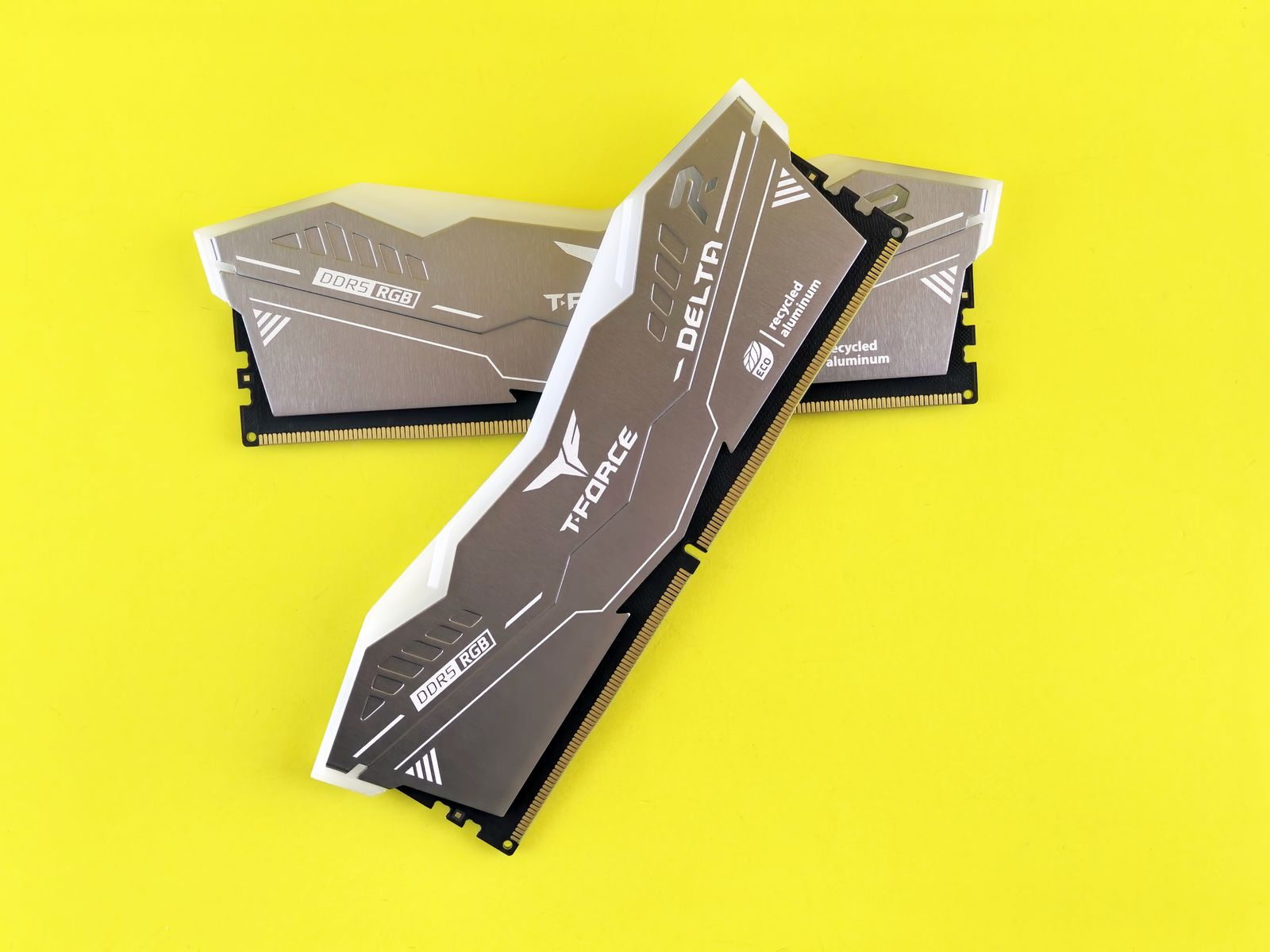
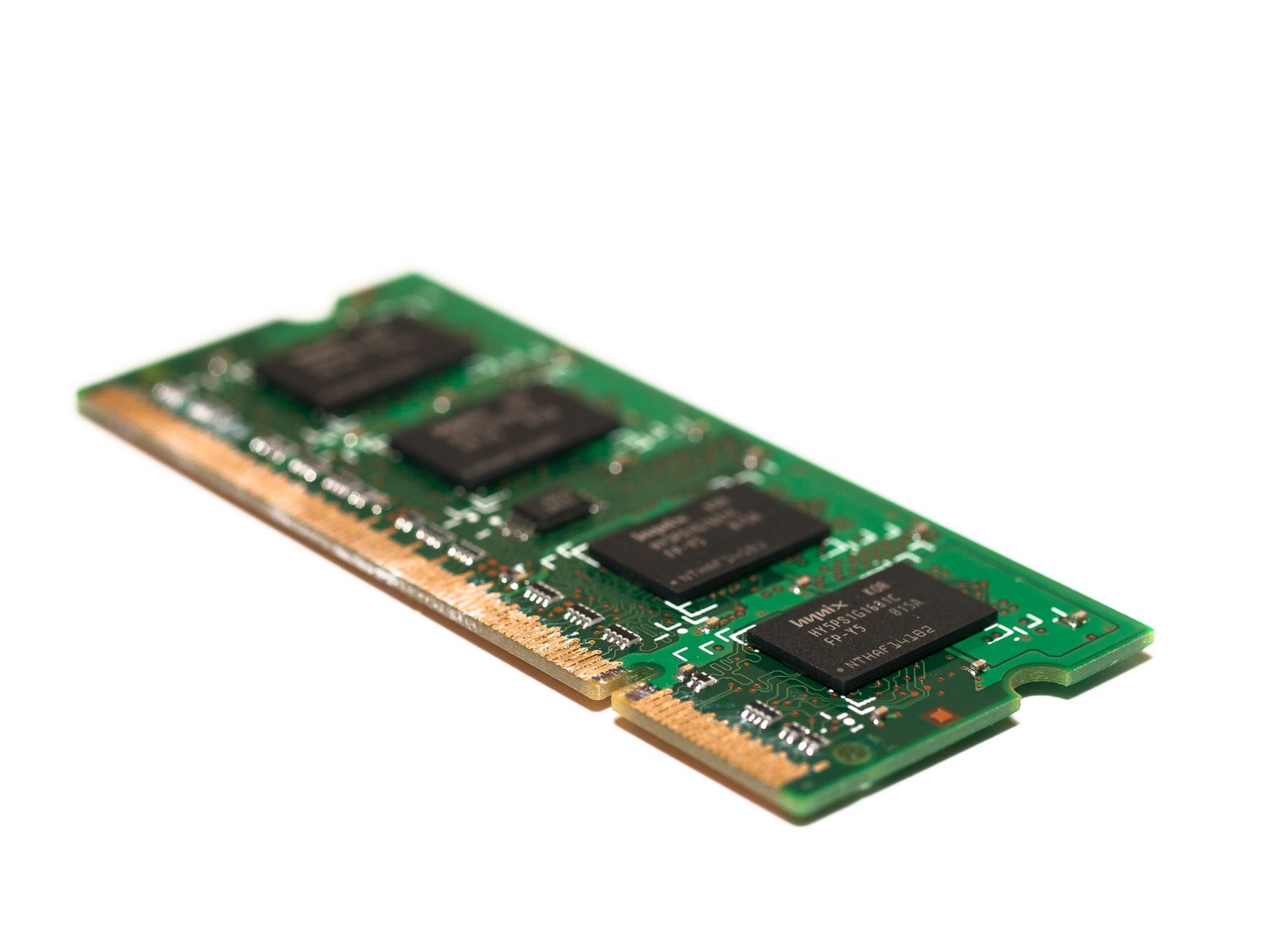
RAM chips come soldered onto small boards called modules:
| Module | Where | Size |
|---|---|---|
| DIMM | Desktops and servers | Long (~13 cm) |
| SO-DIMM (Small Outline DIMM) | Laptops, mini PCs | About half as long |
| Soldered (LPDDR) | Phones, tablets, many thin laptops | No module: chips on the main board, cannot be upgraded |
When you buy a thin laptop, check whether its RAM is soldered: if it is, the amount you buy is the amount you keep forever.
Channels: more corridors to the countertop
A memory channel is an independent path between the CPU's memory controller and the RAM. Most desktop CPUs have two (dual channel).
With one module, the CPU uses one channel. With two modules in the right slots, it uses both at the same time — twice the corridors, twice the traffic. The maths for DDR4-3200:
One channel:  3,200 million transfers/s × 8 bytes = 25.6 GB/s
Two channels: 25.6 GB/s × 2                      = 51.2 GB/s
So 2 × 8 GB is usually faster than 1 × 16 GB, even though the total is the same. And the slots matter: on a board with four slots, the manual tells you which two to use first (often labelled A2 and B2).
ECC: memory that corrects itself
Servers usually use ECC memory (Error-Correcting Code): modules with extra bits that detect and fix single-bit errors — for example, a bit flipped by a cosmic ray. For a bank or a hospital, one wrong bit can be very expensive. Most home PCs do not use it.
ROM, flash and firmware
When you press the power button, RAM is empty. So where does the very first instruction come from? From a memory that never forgets.
ROM (Read-Only Memory) is non-volatile memory whose contents are written once and then only read.
The first ROMs were written at the factory and could never change. Over time, engineers wanted to update them, so ROM evolved:
| Type | How it is written or erased |
|---|---|
| ROM | Written at the factory, forever |
| PROM | Written once by the user, then fixed |
| EPROM | Erased with ultraviolet light through a little window on the chip, then rewritten |
| EEPROM | Erased and rewritten electrically, byte by byte |
| Flash | Erased electrically, in big blocks at once — fast and cheap |
Flash memory was invented at Toshiba by Fujio Masuoka, who presented it in 1984. A colleague suggested the name because erasing a whole block at once reminded him of a camera's flash. Today flash is everywhere: SSDs, USB sticks, memory cards, your phone's storage.
It is also where the firmware lives.
Firmware is software stored in non-volatile memory inside a device, which controls the hardware directly. It is the first thing that runs when the device is switched on.
Your motherboard's UEFI (the modern version of the old BIOS) is firmware, stored in a flash chip on the board. It is not "read-only" any more — you can update it — but the name ROM stuck. Your router, printer, keyboard and even your SSD have their own firmware too. We will see what the UEFI does when a PC boots later in this unit.
See it in your own computer
On Linux, how much RAM there is and how much is free:
total is the size of the countertop, available is what apps can still use, and the Swap line is the overflow space on the disk.
What modules are installed, their type (DDR4/DDR5), speed, and which slots are empty:
On Windows: Task Manager (Ctrl+Shift+Esc) → Performance → Memory shows the speed, the slots used and the form factor (DIMM or SO-DIMM).
Key takeaways
- Volatile memory (registers, cache, RAM) forgets without power; non-volatile memory (ROM, flash, disks) keeps its data.
- The memory hierarchy mixes a little fast, expensive memory near the CPU with lots of slow, cheap memory further away: registers → cache → RAM → storage.
- Cache is SRAM (6 transistors per bit, fast, expensive); RAM is DRAM (1 transistor + 1 capacitor, cheap, must be refreshed).
- DDR transfers twice per tick; DDR4-3200 means 3,200 MT/s. DDR4 and DDR5 are not interchangeable.
- DIMM for desktops, SO-DIMM for laptops; two modules in dual channel double the bandwidth.
- Firmware such as the UEFI lives in flash memory, the modern descendant of ROM.
Quick check
1. A phone box says 8 GB + 256 GB. What are these two numbers?
- 8 GB of RAM and 256 GB of non-volatile storage
- 8 GB of storage and 256 GB of RAM
- 8 GB of cache and 256 GB of RAM
- Two RAM modules working in dual channel
The small number is the RAM, the volatile workspace for running apps. The big number is the storage (flash), which keeps your photos and apps with the power off.
2. Which memory is fastest?
- The registers
- The L3 cache
- The RAM
- An NVMe SSD
In the memory hierarchy, the registers are the closest to the ALU — inside each core, in the chef's hands. Each level further away is bigger, slower and cheaper per byte.
3. Why is cache not used for all of the computer's memory?
- SRAM needs several transistors per bit, so it is big and expensive
- SRAM loses its contents every 64 milliseconds
- Cache is non-volatile, so it cannot be erased
- The CPU can only read cache when the RAM is full
Cache is SRAM, around 6 transistors per bit. DRAM needs only one transistor and one capacitor, so it is much smaller and cheaper per bit. That is the trade-off behind the memory hierarchy.
4. What does the dynamic in DRAM refer to?
- Its bits leak and must be refreshed constantly
- It can change its size while the computer runs
- It transfers data twice per clock tick
- It keeps its data when the power is off
Each DRAM bit is charge in a tiny capacitor that leaks. The memory refreshes every bit, about every 64 ms, to keep it. Transferring twice per tick is DDR, a different idea.
5. A RAM module is sold as DDR4-3200. What does 3200 mean?
- 3,200 million transfers per second
- 3,200 MB of capacity
- A clock of 3,200 GHz
- The module has 3,200 pins
It is the transfer rate in MT/s. Because DDR transfers twice per tick, the clock itself runs at 1,600 MHz.
6. You have a desktop with two free RAM slots and 16 GB to install. Which option is usually faster?
- Two 8 GB modules, one per channel
- One 16 GB module
- One 16 GB SO-DIMM module
- Both are always exactly the same speed
With two modules in the right slots, the CPU uses dual channel: two paths to RAM at the same time, about twice the bandwidth. SO-DIMM modules are for laptops and do not fit desktop slots.
7. Select the two statements that are true.
- The motherboard's UEFI firmware is stored in flash memory
- RAM loses its contents when the computer is switched off
- A DDR5 module fits in a DDR4 slot if it has the same number of pins
- ROM is the memory where running apps are loaded
The firmware lives in non-volatile flash, so it survives power cuts. RAM is volatile. DDR4 and DDR5 have different notches and never mix, and running apps are loaded into RAM, not ROM.
RAM forgets everything when the power goes off. So where do your files really live? Next: the pantry — storage.